Working from home has become more common, and having a productive home office environment is essential for maintaining focus and balance. Whether you’ve recently set up your workspace or want to improve your current setup, these tips will help you create a space where you can comfortably and effectively get your work done.
Choose the Right Space
The foundation of a productive home office starts with the location.
– Quiet and Private
Choose a spot in your home that is free from distractions and noise. If possible, select a room with a door to separate work life from personal life.
– Natural Light
Position your desk near a window to benefit from natural daylight, which can improve mood and energy. Avoid glare on your screen by placing your monitor perpendicular to the window.
– Comfort and Space
Make sure you have enough room to work comfortably, with space for your computer, documents, and any other necessary tools.
Invest in Ergonomic Furniture
Comfort plays an important role in maintaining productivity during long hours of work.
– Ergonomic Chair
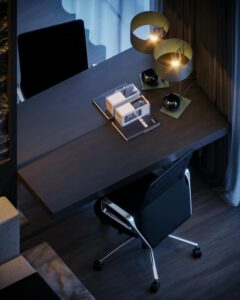
Use a chair that supports your lower back and promotes good posture. Look for adjustable features for seat height and armrests.
– Desk Height
Your desk should allow your forearms to be parallel to the ground when typing. If your desk is too high or low, consider a height-adjustable desk or keyboard tray.
– Monitor Position
The top of your monitor should be at or slightly below eye level. Keep the screen about an arm’s length away to reduce eye strain.
Organise Your Workspace
A tidy and organised workspace can reduce stress and save time.
– Declutter Regularly
Keep only essential items on your desk. Store documents and supplies in drawers or organisers to avoid mess.
– Use Storage Solutions
Consider shelves, filing cabinets, or drawer organisers to keep papers and office supplies neat and accessible.
– Cable Management
Use clips, ties or cable boxes to organise cords, preventing tangles and keeping your desk clean.
Minimise Distractions
Staying focused is easier when distractions are kept to a minimum.
– Set Boundaries
Communicate your working hours to family or housemates to reduce interruptions.
– Limit Notifications
Turn off non-work related notifications on your computer and phone during work hours.
– Use Noise Control
If you can’t find a quiet room, consider noise-cancelling headphones or background music to mask distracting sounds.
Create a Daily Routine
Your home office should support a productive work rhythm.
– Regular Hours
Set consistent start and finish times for your workday to establish a clear separation between work and home life.
– Breaks Matter
Take short breaks every hour to stretch, move around, and rest your eyes. This can help maintain energy and focus.
– Plan Tasks
Start your day by prioritising tasks. Use lists or digital apps to keep track of progress and deadlines.
Personalise Your Space
Adding a touch of personality can make your home office more inviting.
– Plants
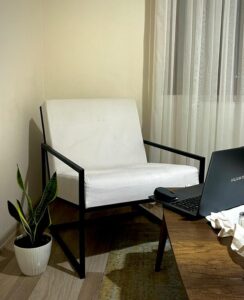
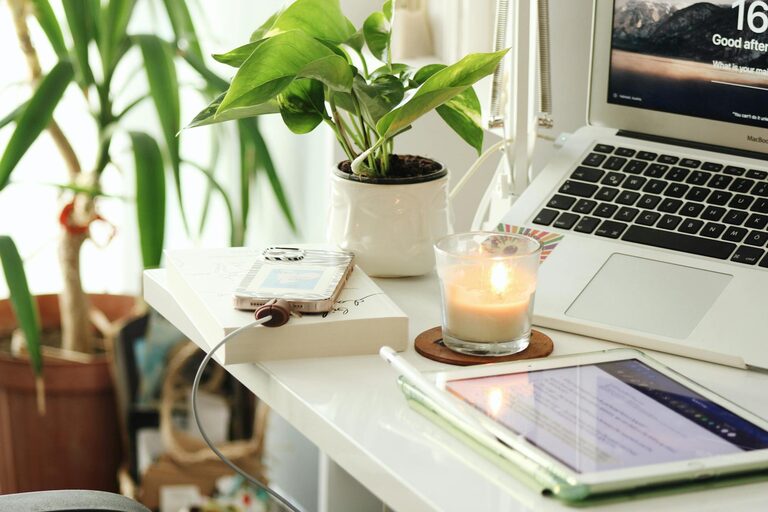
Incorporate some greenery to improve air quality and create a calming atmosphere.
– Artwork and Photos
Decorate with images or items that inspire you, but avoid cluttering your workspace.
– Comfort Items
Include a cushion, a cosy throw for chilly days, or a favourite mug to brighten your workday.
Maintain Good Lighting
Proper lighting reduces eye strain and improves productivity.
– Layered Lighting
Combine natural light with ambient room lighting and task lighting, such as a desk lamp.
– Adjustable Lamps
Use lamps with adjustable brightness and direction to suit your tasks and reduce glare.
– Avoid Flickering
Choose quality bulbs to prevent flickering, which can cause headaches or discomfort.
Keep Technology in Check
Technology is essential but can also be a source of frustration if not managed well.
– Reliable Equipment
Invest in a good quality computer, keyboard, mouse, and internet connection.
– Backup Systems
Regularly save your work and use cloud services or external drives for extra security.
– Update Software
Keep your programs and antivirus software up to date for smooth and safe operation.
Pay Attention to Air Quality and Temperature
Comfort also involves the environment you work in.
– Ventilation
Open windows occasionally or use air purifiers to keep air fresh.
– Temperature Control
Keep the room at a comfortable temperature—too hot or cold can affect concentration.
– Humidity
Avoid very dry or humid conditions. A small humidifier or dehumidifier can help if needed.
—
Creating a productive home office is about finding the right balance of comfort, organisation, and personal touches. By considering your physical environment, establishing good habits, and using practical tools, you can build a space that supports your work and wellbeing every day.