Creating a productive home office environment is key to making the most of your working hours when you’re based at home. With the right setup, you can maintain focus, stay organised, and feel comfortable throughout your workday. Whether you’re new to remote work or simply looking to improve your current space, these tips will help you design a home office that supports your best work.
Choose the Right Location
Finding the right spot in your home for your office is the first step. Ideally, select a quiet area with minimal distractions and enough natural light. If you can, avoid high-traffic zones such as the kitchen or living room where noise and activity might disrupt your concentration.
Consider these location factors:
– Proximity to natural light for better mood and alertness.
– Access to power outlets for your electronic devices.
– Temperature control and ventilation for comfort.
– Space for your desk, chair, and any equipment or storage you need.
Invest in Ergonomic Furniture
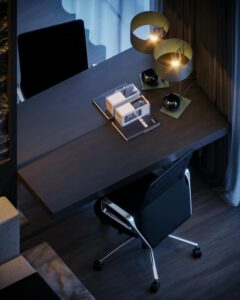
Comfort directly affects your productivity, so invest in ergonomic furniture. A supportive office chair and a desk at the appropriate height help prevent strain and fatigue.
Tips for ergonomic setup:
– Use an adjustable chair with good lumbar support.
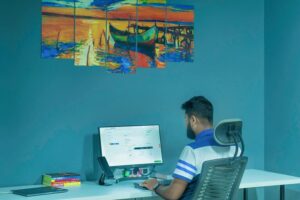
– Position your computer screen at eye level to avoid neck strain.
– Keep your feet flat on the floor or on a footrest.
– Consider a sit-stand desk to alternate between sitting and standing.
Declutter and Organise Your Workspace
A tidy workspace can improve your focus and reduce stress. Keep only essentials on your desk and create a system to organise your papers, stationery, and devices.
Ideas for staying organised:
– Use drawer organisers for small items like pens and chargers.
– Label files or folders to easily find documents.
– Opt for wireless devices to reduce cable clutter.
– Schedule regular tidy-up sessions to maintain order.
Optimise Lighting
Good lighting is crucial for reducing eye strain and staying alert. Natural light is best, but supplement it with appropriate task lighting.
Lighting considerations:
– Position your desk near a window if possible.
– Use blinds or curtains to control glare on screens.
– Add a desk lamp with adjustable brightness.
– Avoid harsh overhead lighting that creates shadows.
Minimise Distractions
Working from home brings a variety of distractions. Try to create boundaries and use techniques to stay focused.
Ways to minimise distractions:
– Set specific work hours and communicate them to family or housemates.
– Use noise-cancelling headphones if needed.
– Limit smartphone use or switch to ‘Do Not Disturb’ mode.
– Create a separate workspace to mentally separate work from leisure.
Personalise Your Space
Adding small personal touches can make your office feel inviting and motivating.
Suggestions for personalisation:
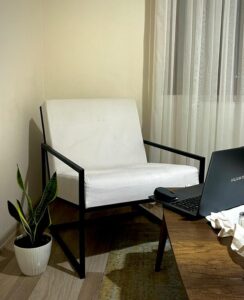
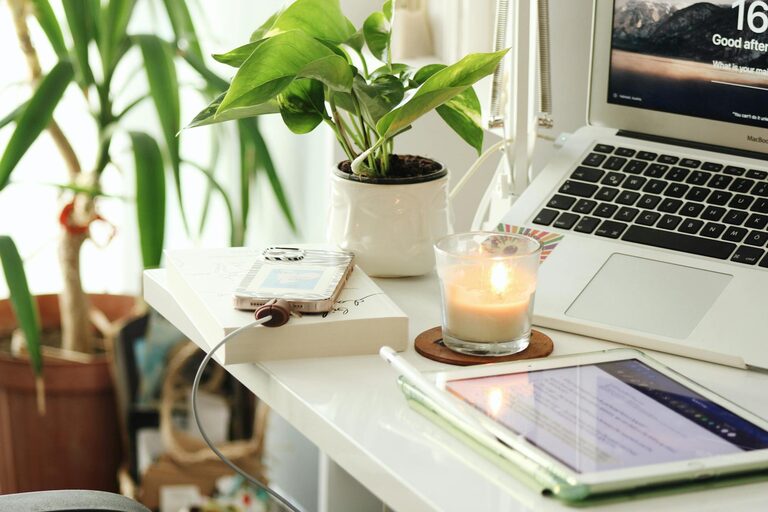
– Add plants to bring a sense of nature and improve air quality.
– Display inspiring artwork or quotes.
– Use colours that support your mood and concentration – blues and greens are calming.
– Keep a water bottle or favourite mug nearby for hydration and comfort.
Utilise Technology Wisely
Ensure your technology supports your workflow rather than interrupts it.
Technology tips:
– Use reliable internet and backup options if possible.
– Keep software and security tools up to date.
– Explore productivity apps for task management and time tracking.
– Set up a charging station to keep devices ready.
Take Regular Breaks
Even the best office setup won’t help if you sit all day without breaks. Use techniques like the Pomodoro method (25 minutes work, 5 minutes break) to maintain energy and prevent burnout.
Tips for breaks:
– Stand up and stretch or walk around.
– Get some fresh air or natural light if you can.
– Avoid screens during breaks to rest your eyes.
Final Thoughts
Building a productive home office is about creating a space where you feel comfortable, organised, and focused. Small investments in your environment and routines can make a big difference in your work quality and enjoyment. By choosing the right location, using ergonomic furniture, managing distractions, and personalising your workspace, you set yourself up for success in any work-from-home arrangement.